The benefits of clustered storage
Clustered storage combines multiple arrays or controllers to increase their performance, capacity or reliability. But the technology isn't right for every company. We outline what you need to know before deciding to adopt clustered storage.

| Clustered storage promises better performance, scalability and reliability, but it's not designed to fit the needs of every storage environment.
Before choosing whether or how to adopt clustered storage, storage managers should understand their business and data access requirements. This includes asking themselves the following questions:
Clustering has been hitting the news headlines in the last year. For example, EMC Corp. now supports cluster storage for archiving and backup; Hewlett-Packard (HP) Co. bought PolyServe and its clustered file server; IBM Corp. recently purchased XIV Ltd., a privately held storage technology company based in Tel Aviv, Israel; and Sun Microsystems Inc. acquired the Lustre file system. While definitions vary, clustering generally refers to an architecture in which multiple resources (such as servers or storage arrays) work together to increase reliability, scalability, performance and capacity. Technically, clustering can be done at the level of the disk drive as with RAID, in which multiple disk drives increase the scalability and reliability of the array. But the more common definition of clustering has it being done at the file server or file-system level (see "Cluster vs. Grid vs. Global namespace," below).
|
| A clustered file system consists of a file system and volume manager installed across multiple application server nodes, says Greg Schulz, founder and senior analyst at StorageIO Group, Stillwater, MN. It creates a single logical data view, allowing any node to access data regardless of its location. Providing this shared access requires coordination among server nodes to prevent access conflicts and ensure data integrity. This approach is the foundation of NAS clustering, in which a file system is installed across multiple industry-standard servers. A clustered file server, by contrast, consists of multiple NAS servers working as a single storage and file space instance, says Schulz. This creates a single, cohesive file system in which any node can access the file system as if it were running on one large physical NAS server, with data access coordination done at the individual file server with no need for communication among the nodes. Storage clustering isn't the mere presence of dual CPUs, controllers or even NAS heads in an active-passive configuration with the second component on standby in the event the primary component fails, notes Schulz. Clustered storage is often a good fit for high-performance computing (HPC) apps in which hundreds, thousands or tens of thousands of clients read and write data to extremely large data sets. But much of the current focus on HPC is on its use for everyday business apps such as databases and messaging systems. Various clustered storage systems also differ by the protocols or file systems they support, as well as the levels at which they store and serve data. According to StorageIO Group's Schulz, clustered storage systems that move data at the block level using the iSCSI protocol include 3PAR Inc., EqualLogic Inc. (now part of Dell Inc.) and LeftHand Networks Inc. Clustered systems from BlueArc Corp., Ibrix Inc., Isilon Systems Inc., Network Appliance Inc., ONStor Inc., Panasas Inc. and PolyServe (now owned by HP) support the NFS file system. Sun has made Lustre a key part of its clustering strategy, especially for HPC apps, and has pledged to support it on Linux, its own Solaris OS and on multivendor hardware. Many clustered file systems only update meta data across all the storage nodes to reduce network bandwidth requirements, and to make it easier for large numbers of clients to access data concurrently.
|
| Ease of use Jeff Pelot, chief technology officer at the Denver Health Hospital and Medical Center, is phasing out his Fibre Channel (FC) storage in favor of clustered storage from LeftHand Networks. While lower hardware costs were the original goal, lower administrative costs are now the main driver. "I don't know how many [other] people out there are managing 90TB with one person," he says. HPC users often calculate the performance of clustered storage requirements not by total capacity, but by the GB/sec the system can deliver. The Los Alamos National Laboratory in New Mexico, which simulates the performance of nuclear weapons, needs a specific rate of I/O because it must periodically capture the entire "state" of an HPC compute run (including the contents of RAM) to recover from a failure among the thousands of processors and disks in use, says Gary Grider, deputy division leader of the laboratory's HPC Systems Integration Group. "It's the [file] system that keeps our calculations stable when processors, memory and the network" fail periodically during the months it takes a complex computing job to run, says Grider. Parag Mallick discovered that sometimes a vendor's help is required to decide how to distribute data within the file system. Mallick is director of clinical proteomics at the Spielberg Family Center for Applied Proteomics at the Cedars-Sinai Louis Warschaw Prostate Cancer Center in Los Angeles. The organization uses clustered storage devices from Isilon Systems Inc. to store 120TB of data about the proteins found in the blood of cancer patients. Mallick worked with Isilon Systems to design the best directory layout to maximize the predictive caching done by the system, storing the most frequently accessed files in RAM to speed their retrieval. Different data access needs also call for various clustering technologies. "If I'm supporting a video application, I might want a NAS file server cluster optimized for large throughput of either concurrent streams or one large file being transmitted in parallel," says Schulz. Clustered storage is a good choice for storage administrators who have "20, 30 or 50 NAS filers ... and really would like to put them up under one namespace," says Grider. He also recommends clustered storage for applications that require many processors/users to write to one file simultaneously, when storage administrators need to scale bandwidth at the same time they scale capacity or if there's lots of meta data to manage. |
| What's next? Storage industry consultant Robin Harris praises GFS for its reliability, performance on large sequential reads, features such as automatic load balancing and storage pooling, and its low cost. But its shortcomings as a general-purpose storage platform include its "performance on small reads and writes, which it wasn't designed for and isn't good enough for general data center workloads," notes Harris. Google has since built Bigtable, a distributed storage system for managing petabytes of structured data. It "provides very good performance for small reads and writes," says Jeff Dean, a Google Fellow in the Systems and Infrastructure Group. Analysts and other observers differ about whether these mega-storage projects could serve as a foundation for commercial systems. If Google were starting today, "we'd probably still build our own because I'm not aware of any system that scales to the sizes that we need at reasonable price/performance ratios," says Dean. Building its own systems, he says, gives Google "more flexibility because we can control the underlying storage system that sits underneath our applications." 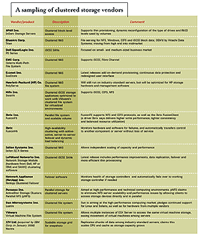
In January, IBM announced plans to acquire XIV, which claims its grid-based architecture creates an unlimited number of snapshots in a very short time by replicating data among Intel-based servers running a custom version of Linux and linked by redundant Gigabit Ethernet switches. Because each node has its own processors, memory and disk, according to the company, CPU power and the memory available for cache operations increases as storage capacity rises. IBM says that by distributing each logical volume across the grid as multiple 1MB stripes, the architecture provides consistent load balancing even as the size of volumes or drive types on the grid changes. The technology will be aimed at users running Web 2.0 applications and storing digital media. But speaking in a conference call sponsored by the Wikibon consulting community, storage consultant Josh Krischer pointed out that the system doesn't support mainframe connectivity and constitutes "another level of storage between the high end and the top of the midrange" in IBM's current storage offerings. Rather than being optimized for Web 2.0 storage, said Krischer, "this is general-purpose storage" that IBM will bring to the market at aggressive price points because of its use of industry-standard hardware and open-source software. Architectures such as GFS "will be more of what you see in the future," says John Matze, one of the architects of the iSCSI protocol and VP of business development at IP SAN vendor Hifn Inc. As network bandwidth becomes less expensive and storage nodes become more intelligent, he predicts the rise of more cluster or grid-like storage environments in which individual nodes have the intelligence to recover from inevitable failures. |
| Several vendors offer highly distributed storage designed to deliver very high levels of security, redundancy, availability and scalability at lower price points than RAID. For example, NEC Corp.'s Hydrastor distributes data among servers that act as accelerator nodes or storage nodes, allowing users to independently scale the amount of storage or the processing power devoted to managing it. NEC claims Hydrastor is more scalable than clustered storage systems, "which have a finite number of controllers and storage capacity, as well as centralized file-system information and mapping tables on each node. Together, these factors create hard upper limits to scalability, forcing end users to deploy and manage additional systems that function as isolated data silos," writes an NEC spokesperson in an email. According to NEC, the storage nodes in Hydrastor behave as a single, self-managed pool of storage that automatically balances capacity and performance across nodes, and rebalances storage among nodes as capacity is added or a node fails. In addition to lowering management costs, claims NEC, this gives Hydrastor "near limitless" scalability. StorageIO Group's Schulz challenges NEC's claims of differentiation. "Hydrastor is a cluster as much as it is a grid, just like many other cluster-based systems are also grids," he says. He also disagrees that a grid is more scalable than a cluster, saying "it comes down to the architecture and the implementation in question and, more importantly, what is practical in terms of real-world supportable and shippable solutions vs. theoretical marketing." Dispersed storage software from startup Cleversafe Inc. distributes data on multiple remote servers in encrypted slices that, claims chairman and CEO Chris Gladwin, eliminate the need to store multiple copies of data (as with replication). Gladwin says NEC's entry into the market validates the idea of clustered or grid storage. "The real competition that both NEC and Cleversafe have is the old way of doing things," he says. No matter how it's done, clustering and grid storage are the new ways of doing things, and it's up to storage administrators to choose their approaches carefully (see "Eight questions to ask a clustered storage vendor," below).
|